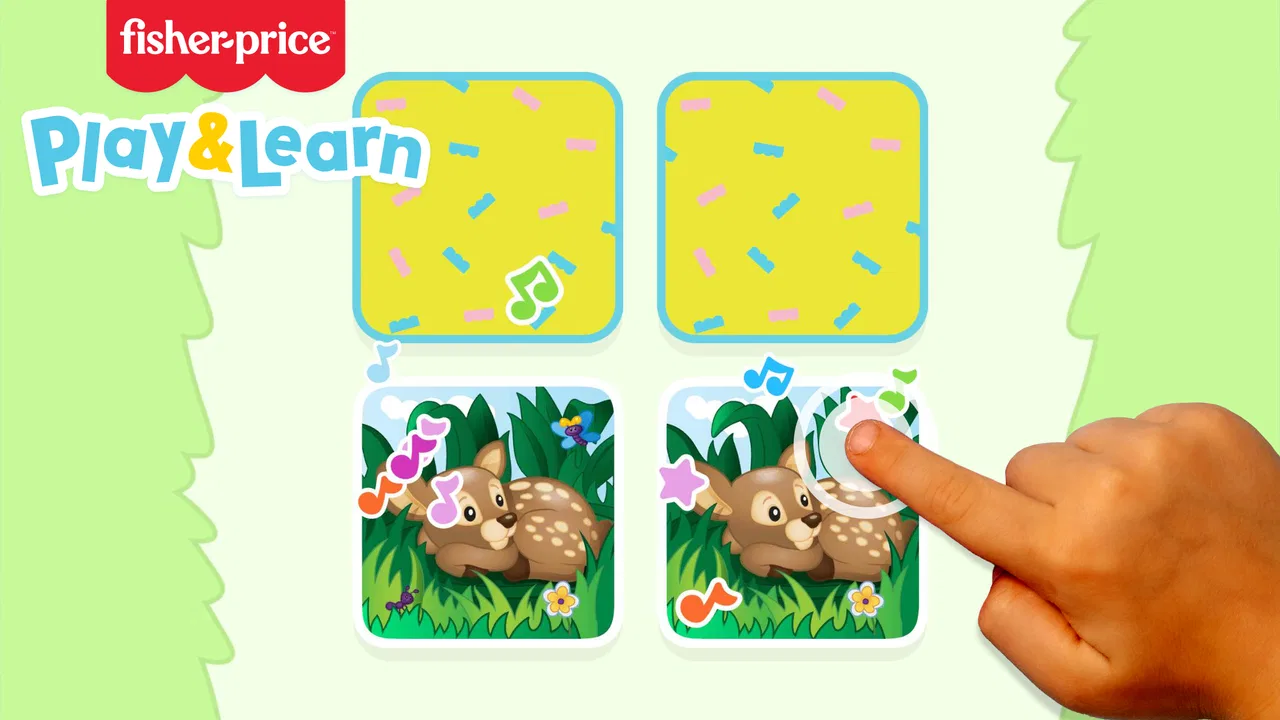
Fisher-Price™ Play & Learn
- 4.6
- Rating
- 100.00K
- Installs
- Free
- Price

 Analysis by App-foxy
Fisher-Price™ Play & Learn is the kind of children’s game I would reach for when I want a young child to have something playful to do while also practicing simple recognition and interaction skills. It comes from AppQuiz, sits in the educational game category, and is free to start. After spending time with it, my impression is that its biggest strength is its approachable Fisher-Price setting: the experience feels designed to invite a child in rather than demand careful reading or complicated instructions.
The game is aimed at Everyone, which makes sense for a family-friendly title intended for young players. It has reached over one hundred thousand installs and holds a 4.6 average from roughly one thousand ratings, so it is not an obscure experiment with no audience. I also noticed that it is still a relatively focused experience rather than a huge learning platform. That distinction matters: I see it as a short, repeatable play option for early learners, not as a replacement for structured preschool activities or a complete curriculum.
How the first goals make play easy to enter
The early goals are deliberately simple. A child can begin by exploring the presented activities, responding to visual prompts, and learning through repetition instead of having to understand a complex menu or a long-term mission. That low barrier is important because the first few minutes with a children’s app often decide whether the child keeps trying or immediately asks an adult for help.
You May Also Like

 Blood Strike: 2.5 Anniversary
Blood Strike’s Loadouts Turn Every Drop Into a Tactical Gamble
A close look at Blood Strike’s custom loadouts: how fast access to signature weapons reshapes its battle royale rhythm, rewards preparation, and narrows the gap between fights.

 Pandora - Music & Podcasts
Pandora’s Music Is Easy to Start, but Harder to Recover
Pandora’s strength is its low-effort path from a seed to a station. Its weak spot is how much confidence it asks you to place in connection, setup, and quiet recovery.

 8 Ball Pool
8 Ball Pool Is Built on Rivalries, Rematches, and Routine
A close look at the rivalries, rematches, shared routines, and unanswered safety questions that turn a quick pool match into a persistent mobile community.

 Samsung Music
Samsung Music’s Quiet Strength Is Playing What You Already Own
Its reach comes less from spectacle than from dependable access to a personal library. That simplicity is both the app’s strongest retention engine and its ceiling.

 AccuWeather: Weather Radar
AccuWeather Review: A Quick, Clear Forecast for Everyday Decisions
For everyday plans, the best forecast is the one you can understand quickly. AccuWeather makes rain timing, radar, and local conditions easy to act on, with a few trade-offs.

 Hill Climb Racing
Why Hill Climb Racing Still Turns Crashes Into One More Run
A tiny car, a bumpy hill and one more upgrade: Hill Climb Racing keeps resurfacing because its simple chaos makes every near-miss feel personal.
More From Our News Desk
View All News


In my experience, the Fisher-Price presentation does useful work here. Familiar visual language gives the game a friendly identity, while the educational framing keeps the activities from feeling like random tapping. The child is encouraged to notice, choose, and react. Those are modest goals, but they are appropriate for the audience and give each small interaction a purpose.
I would introduce it to a child during a short quiet period rather than present it as a formal lesson. For example, after breakfast, a parent could sit nearby while the child explores a few activities before getting ready for the day. The adult does not need to turn every screen into a quiz. A better approach is to let the child try first, then ask what they noticed or why they chose a particular response. That turns passive screen time into a small conversation.
One practical tip is to avoid treating the first session as a test. Young children may tap quickly, repeat an action, or move away from the intended task. I found that the game works better when the adult allows a little free exploration before offering guidance. The attraction of the app is its gentle entry point, and too much correction can make even a well-designed learning activity feel like homework.
The game also benefits from being recognizable as a children’s product rather than an adult productivity tool shrunk onto a phone. Buttons and activities need to feel inviting at this age. I would still recommend that a parent start the first session, check how the child responds to the controls, and then decide whether independent play is suitable. The Everyone rating describes the intended audience, but children differ widely in coordination, attention, and reading ability.
What counts as progress for a young player
Progress here is better understood through growing confidence than through a deep achievement system. A child may begin by guessing, watching the response, and trying again. Later, the same child may recognize what an activity is asking and act more deliberately. That change is meaningful even when the app does not turn it into a formal score or a dramatic reward.
I like this kind of progress because it keeps the focus on participation. A preschool-age player does not need a complicated dashboard to understand that they are improving. Faster recognition, fewer hesitant taps, and a willingness to replay an activity can all show that the game is becoming familiar. Parents should watch for those behaviors rather than judge the experience only by how long the child stays on screen.
There is also a useful trade-off. A simple structure can make the game comfortable for beginners, but it may give an older or more advanced child fewer reasons to continue. If your child already expects elaborate levels, collectible systems, or increasingly demanding puzzles, this title may feel light. I would choose it for foundational practice and relaxed discovery, not for children who want a competitive challenge.
The current release is version 0.8.9. That version label suggests an experience that may still be developing, so I would keep expectations realistic about polish and breadth. I did not approach it as a finished, all-purpose learning suite. Instead, I judged it by whether its available activities are easy to understand, pleasant to repeat, and suitable for a short session. On those terms, it makes a sensible first step into educational play.
A second useful tip is to use repetition intentionally. Rather than moving on as soon as the child completes something, an adult can invite them to explain what they did, name what appeared on screen, or predict what might happen next. The app supplies the interactive prompt; the adult supplies the language and connection to real life. That combination is much more valuable than leaving the child alone with any educational game for a long stretch.
Challenge and the shape of the difficulty curve
The difficulty curve feels aimed at keeping the first contact comfortable. The game’s appeal is not based on making the child fail repeatedly. Instead, it uses accessible activities and familiar presentation to encourage another attempt. For very young players, that is often the right balance: enough response to make an action feel meaningful, without turning every mistake into a reason to quit.
That approach has a clear limitation. Gentle difficulty can become predictable. A child who quickly understands the interaction may reach the point where the activity is mainly repetition rather than discovery. This is where the parent’s involvement matters. Asking the child to describe colors, objects, choices, or sequences can add a layer of thinking that the basic interaction alone may not provide.
I would also avoid comparing the challenge directly with reading-heavy educational apps. Those alternatives may offer more explicit teaching, written instructions, or structured exercises, but they can be less accessible to a child who is not reading yet. Fisher-Price™ Play & Learn is stronger when the goal is to make early exploration comfortable. A more advanced learning app is the better choice when you need measurable lessons, detailed progression, or content aimed at older children.
Another trade-off concerns session length. The activities are well suited to short bursts, especially when a child is waiting at a doctor’s office, sitting quietly while a meal is prepared, or taking a break between physical play. I would not rely on it to occupy a child for an entire afternoon. Its value comes from focused, repeatable moments, and extending those moments too far can expose the limited depth that is useful for beginners.
Parents may wonder whether the game requires constant supervision. I would say that the first session deserves supervision, and later use depends on the child. The Everyone age rating makes it appropriate for a broad audience, but an adult should still check whether the child understands the activities and whether the device is being used comfortably. Supervision is also the best way to turn the game’s simple prompts into real learning rather than automatic tapping.
Unlocks, rewards, and the pressure to keep returning
The retention design is relatively restrained from what I experienced. The game’s reason to return is mainly the child’s enjoyment of familiar activities and the chance to repeat them with greater confidence. That is healthier for this audience than making progress feel like a race. A young child can come back because they want to play, not because they are worried about losing a streak or falling behind.
At the same time, this means the app may not create a strong long-term pull by itself. Children who need visible unlocks, a large map, or a clear chain of increasingly difficult goals may lose interest sooner. I consider that less a flaw than a boundary of the product’s design. It is trying to be approachable, and approachability usually comes at the cost of complexity.
There are in-app purchases ranging from under a dollar to nearly sixty dollars per item. Because the game is free, I would let the child try the available experience before considering any purchase. Adults should handle all buying decisions and check the purchase flow on their own device. The wide range means it is especially important not to assume that “free” means every part of the experience is included without cost.
This is one of the moments when the app is not the right choice for every family. If you want a completely fixed, one-time educational toy with no purchase decisions to think about, a paid app with a clearly defined package may feel more comfortable. If you are happy to test a free starting point and decide carefully whether additional content is worthwhile, this model is more flexible.
I also recommend setting a simple routine before handing over the device. A parent might choose one short session after lunch, then put the phone or tablet away and continue the topic with a physical toy, picture book, or conversation. This prevents the game from becoming the only source of stimulation and gives the child a chance to transfer what they noticed on screen into everyday play. That transfer is where the educational value becomes more convincing.
Where it fits among children’s learning alternatives
Compared with a traditional educational app built around worksheets, spelling, or explicit lessons, this game is more welcoming for children who learn through visual interaction and repetition. It asks less from a child who cannot read independently and feels more like play than instruction. In return, it offers less obvious depth for parents who want detailed academic coverage or a clearly documented learning path.
Compared with a general children’s video app, it has a stronger interactive purpose. A video can hold attention, but it usually does not ask the child to make the same kind of response. Here, the child’s action is part of the experience. I still prefer an adult to stay involved, because discussion and physical activities can extend the learning beyond what a screen can do.
Compared with a more advanced puzzle game, Fisher-Price™ Play & Learn is less demanding and less likely to frustrate a beginner. That makes it a better first option for a young child who is still learning how to follow a prompt. It is a weaker choice for a child who already enjoys multi-step logic, strategic decisions, or a strong sense of mastery over increasingly difficult stages.
The developer, AppQuiz, has positioned the title as an educational game rather than a broad entertainment package. I think that is the right way to evaluate it. Its success depends on whether a child can understand the invitation to play, enjoy repeating an activity, and gradually become more confident. Judging it by the standards of a large adventure game would miss its purpose; judging it as a complete preschool curriculum would overestimate it.
Who will enjoy it, and who should skip it
I would recommend it to parents looking for a friendly first educational game, especially when the child responds well to familiar characters, visual cues, and short activities. It is also a reasonable option for grandparents or caregivers who want an easy activity to share with a child without preparing a lesson in advance. The free entry point makes trying it less committing, provided adults pay attention to the in-app purchase choices.
I would be more cautious for families seeking advanced learning targets, detailed progress reports, or a long campaign with substantial challenge. Older children may find the pace too gentle, while children who dislike repetition may need something with more varied tasks. It may also be a poor fit if your household wants to avoid in-app purchases entirely, even though the game itself is free to download and play at the starting level.
Device compatibility is another practical point: the game requires at least Android 7.1. That covers many older devices, but I would still check the phone or tablet before planning around it. The title is available as a mobile game, so screen size and touch responsiveness can affect the experience. A larger tablet may be easier for small hands than a compact phone, while a parent’s older device may be perfectly adequate if the controls respond reliably.
The release date was April 1, 2025, which places it among newer entries in the catalog. I would therefore treat it as something to revisit occasionally rather than assume the current version defines its entire future. For now, the important question is not whether it has the largest collection of activities, but whether the child enjoys the available ones and whether the adult can use them as a starting point for conversation and offline play.
My verdict on its progression and pacing
Fisher-Price™ Play & Learn succeeds when it keeps goals small, feedback understandable, and the pace comfortable for a young child. Its progression is not about mastering an elaborate system; it is about moving from uncertain exploration toward familiar, more confident interaction. That can be enough for a short educational session, particularly when a parent adds questions and real-world examples.
Its weaknesses are equally clear. The gentle challenge may not hold an advanced child, the repeatable structure may feel limited over long sessions, and the optional purchase range requires adult attention. I would not install it expecting a complete learning program or a deep game with constant new rewards. I would install it as a focused companion for early play.
Overall, I think AppQuiz has made a sensible choice by keeping the experience approachable. The 4.6 average and broad install reach suggest that many families find the format appealing, but I would still make the decision based on your child’s age, patience, and preferred kind of challenge. The best way to use this game is in short, shared sessions where screen interaction leads into talking, naming, predicting, and playing away from the device.
For a free educational game rated for Everyone, it is worth trying if your child needs a gentle introduction to interactive learning. I would recommend it to beginners and caregivers who value simplicity, while steering older or more demanding players toward a deeper alternative. Its progression verdict is positive but specific: it sustains interest through accessible goals and repetition, not through a large unlock structure or intense difficulty. That makes it useful, as long as you choose it for the experience it actually offers.
FAQs for Fisher-Price™ Play & Learn
01What is Fisher-Price™ Play & Learn?
Fisher-Price™ Play & Learn is an educational app designed for young children and preschoolers. It offers simple, interactive activities inspired by early-learning concepts, including colors, numbers, shapes, sounds, and basic problem-solving. The interface is designed to be easy for small children to explore, with bright visuals, friendly characters, and touch-based interactions that do not require advanced reading skills.
02Is Fisher-Price™ Play & Learn suitable for my child’s age?
The app is generally aimed at toddlers and preschool-aged children, although the ideal age can vary depending on the child’s development and familiarity with mobile devices. Younger children may need help navigating between activities, while older preschoolers may enjoy completing tasks more independently. Parents should check the current age recommendation on the Google Play Store or App Store before downloading.
03Does Fisher-Price™ Play & Learn require an internet connection?
Some features may work after the app has been installed, but an internet connection can be required for the initial download, updates, account-related functions, or additional content. Availability may also depend on the specific version of the app and the device being used. It is best to open the app once while connected to Wi-Fi before giving it to your child offline.
04Are there advertisements or in-app purchases in Fisher-Price™ Play & Learn?
The presence of advertisements, paid content, or in-app purchases can depend on the app version, region, and platform. Because children may tap buttons accidentally, parents should review the store listing and the app’s settings before use. If the device supports parental controls, enabling purchase restrictions and supervising the first sessions is a sensible way to prevent unexpected charges.
05Is Fisher-Price™ Play & Learn safe and easy for children to use?
Fisher-Price™ Play & Learn is built around child-friendly visuals and straightforward touch controls, making it relatively easy for young users to understand. However, no app should replace adult supervision, especially when a child is using a connected device. Parents should review privacy permissions, limit screen time, keep the operating system updated, and use the app together when introducing new activities.
Pros
- Simple activities are suitable for toddlers and preschoolers.
- Bright visuals and friendly characters help maintain attention.
- Touch-based controls are easy for young children to understand.
- Activities encourage basic counting
- colors
- shapes
- and letter recognition.
- Designed for short play sessions with minimal setup.
Cons
- Some activities may feel repetitive after extended use.
- Requires a compatible device with enough storage space.
- Limited challenge for older children or advanced learners.
- Adult guidance may still be needed for younger users.
- Some features or content may vary by device and region.

Fisher-Price™ Play & Learn
Gallery